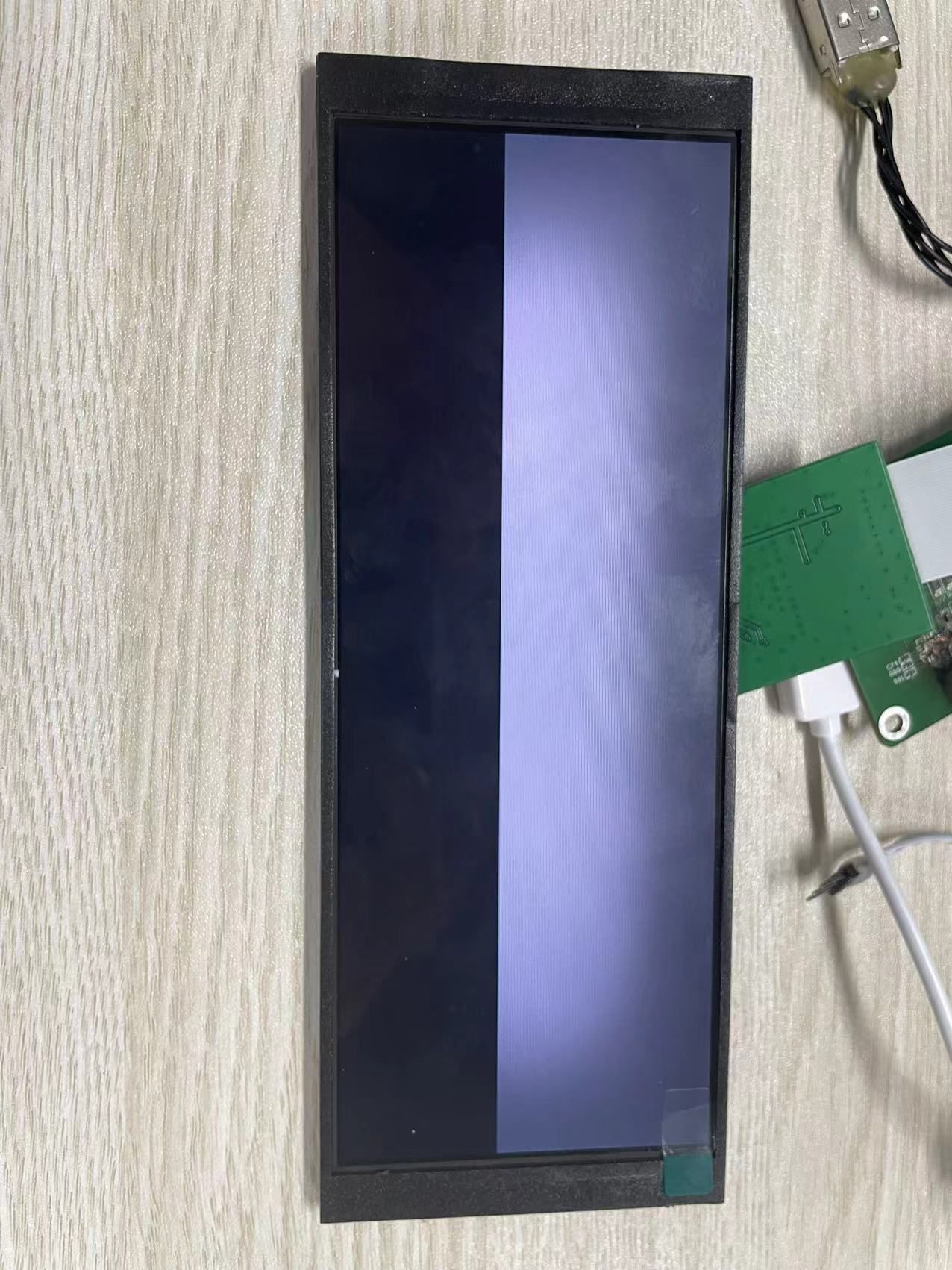
@xgj1010 是的t113 DDR的问题 换个t113就可以了
Y
yyyyppppp 发布的帖子
-
t113-s3 tina系统如何由spi nand flash更换为spi nor flash ???发布在 Linux
请问t113-s3 tina系统由spi nand flash更换为spi nor flash ???的流程是什么 根据 Tina Linux 存储介质切换:eMMC,SPI NAND,SPI NOR,SD Card,SD NAND | 全志在线开发者论坛这个链接的步骤做的镜像tina_t113-100ask_uart3_nor.img烧录失败 下面是我做的修改 : spinand切换spinor
1、cd /home/zyn/t113/tina-d1-h/device/config/chips/t113/configs/100ask vim sys_config.fex
28 ;storage_type = 5
29 storage_type = 3vim board.dts
758 &spi0 {
759 clock-frequency = <100000000>;
760 pinctrl-0 = <&spi0_pins_a &spi0_pins_b>;
761 pinctrl-1 = <&spi0_pins_c>;
762 pinctrl-names = “default”, “sleep”;
763 /spi-supply = <®_dcdc1>;/
764 spi_slave_mode = <0>;
765 spi0_cs_number = <1>;
766 spi0_cs_bitmap = <1>;
767 // status = “okay”;
768 status = “disabled”;
769
770 spi-nand@0 {
771 compatible = “spi-nand”;
772 spi-max-frequency=<80000000>;
773 reg = <0x0>;
774 spi-rx-bus-width=<0x04>;
775 spi-tx-bus-width=<0x04>;
776 // status=“okay”;
777 status = “disabled”;
778 };
779 };===============================================
make kernel_menuconfig
内核驱动配置
Device Driver —>
Memory Technology Device (MTD) support —>
sunxi-nand —> //取消勾选
<> AWNAND CHOICE (Allwinner MTD SPINAND Device Support) —>
[] enable simulate multiplane选中<*> SPI-NOR device support —>
内核文件系统配置
File systems —>
[] Miscellaneous filesystems —>
<> Overlay filesystem support 选中
<*> Journalling Flash File System v2 (JFFS2) support 选中
取消ubifs
< > UBIFS file system supportmake menuconfig 层层选中
Target Images —>
[*] For storage less than 32M, enable this when using ota //选中[*] squashfs ← 强烈建议选中(压缩根文件系统,省空间)
ubifs ---- 取消Global build settings —>
[*] Strip unnecessary functions from libraries //选中Utilities —>
<> mtd-utils
<> mtd-utils-mkfs.jffs2 //选中 方案二:
缺少 sun8iw20p1_uart3_nor_defconfig 配置文件。T113的NOR Flash默认配置是UART0(sun8iw20p1_nor_defconfig),
但你的开发板使用的是UART3。cd /home/zyn/t113/tina-d1-h/lichee/brandy-2.0/u-boot-2018/configs
cp sun8iw20p1_nor_defconfig sun8iw20p1_uart3_nor_defconfig
cat >> sun8iw20p1_uart3_nor_defconfig << ‘EOF’
UART3 Configuration (for 100ASK T113-PRO)
CONFIG_CONS_INDEX=4
CONFIG_SPECIFY_CONSOLE_INDEX=y
CONFIG_DEBUG_UART_BASE=0x02500C00
CONFIG_DEBUG_UART_CLOCK=24000000
CONFIG_BAUDRATE=115200
EOF
验证
grep -E “(CONS_INDEX|DEBUG_UART|BAUDRATE)” sun8iw20p1_uart3_nor_defconfig 下面是烧录的log 1018]fes begin commit:88480af-dirty
[1022]set pll start
[1024]fix vccio detect value:0xc0
[1031]periph0 has been enabled
[1034]set pll end
[1036][pmu]: bus read error
[1038]board init ok
[1040]beign to init dram
[1042]ZQ value = 0x31
[1044]get_pmu_exist() = -1
[1047]ddr_efuse_type: 0xa
[1049]trefi:7.8ms
[1052][AUTO DEBUG] single rank and full DQ!
[1056]ddr_efuse_type: 0xa
[1059]trefi:7.8ms
[1061][AUTO DEBUG] rank 0 row = 13
[1064][AUTO DEBUG] rank 0 bank = 8
[1068][AUTO DEBUG] rank 0 page size = 2 KB
[1072]DRAM BOOT DRIVE INFO: V0.33
[1075]DRAM CLK = 936 MHz
[1077]DRAM Type = 3 (2:DDR2,3:DDR3)
[1080]DRAMC read ODT off.
[1083]DRAM ODT value: 0x42.
[1086]ddr_efuse_type: 0xa
[1089]DRAM SIZE =128 M
[1091]dram_tpr4:0x0
[1093]PLL_DDR_CTRL_REG:0xf8004d00
[1096]DRAM_CLK_REG:0xc0000000
[1099][TIMING DEBUG] MR2= 0x20
[1103]DRAM simple test OK.
[1105]rtc standby flag is 0x0, super standby flag is 0x0
[1111]init dram okU-Boot 2018.05-00001-gb315f67-dirty (Mar 05 2026 - 17:00:08 +0800) Allwinner Technology
[02.573]CPU: Allwinner Family
[02.575]Model: sun8iw20
[02.578]DRAM: 128 MiB
[02.581]Relocation Offset is: 04f4b000
[02.596]secure enable bit: 0
[02.598]CPU=1008 MHz,PLL6=600 Mhz,AHB=200 Mhz, APB1=100Mhz MBus=300Mhz
[02.604]gic: normal mode
[02.607]flash init start
[02.609]workmode = 16,storage type = 0
[02.618]spi sunxi_slave->max_hz:100000000
SF: Detected gd25q128 with page size 256 Bytes, erase size 64 KiB, total 16 MiB
[02.629]Loading Environment from SUNXI_FLASH… OK
Hit any key to stop autoboot: 0
sunxi work mode=0x10
run usb efex
delay time 2500
weak:otg_phy_config
usb init ok
set address 0x4
set address 0x4 ok
set address 0x4
set address 0x4 ok
SUNXI_EFEX_ERASE_TAG
erase_flag = 0x12
origin_erase_flag = 0x1
FEX_CMD_fes_verify_status
FEX_CMD_fes_verify last err=0
the 0 mbr table is ok
MBR DUMP**
total mbr part 6part[0] name :boot-resource
part[0] classname :DISK
part[0] addrlo :0x20
part[0] lenlo :0x100
part[0] user_type :32768
part[0] keydata :0
part[0] ro :0part[1] name :env
part[1] classname :DISK
part[1] addrlo :0x120
part[1] lenlo :0x100
part[1] user_type :32768
part[1] keydata :0
part[1] ro :0part[2] name :env-redund
part[2] classname :DISK
part[2] addrlo :0x220
part[2] lenlo :0x100
part[2] user_type :32768
part[2] keydata :0
part[2] ro :0part[3] name :boot
part[3] classname :DISK
part[3] addrlo :0x320
part[3] lenlo :0x3200
part[3] user_type :32768
part[3] keydata :0
part[3] ro :0part[4] name :rootfs
part[4] classname :DISK
part[4] addrlo :0x3520
part[4] lenlo :0x4b00
part[4] user_type :32768
part[4] keydata :0
part[4] ro :0part[5] name :UDISK
part[5] classname :DISK
part[5] addrlo :0x8020
part[5] lenlo :0x0
part[5] user_type :0
part[5] keydata :0
part[5] ro :0need erase flash: 18
The Chip Erase size is: 16M …
SUNXI_EFEX_MBR_TAG
mbr size = 0x4000
SF: write offset not multiple of erase size
write primary GPT success
spinor: skip backup GPT
[29.102]update partition map
FEX_CMD_fes_verify_status
FEX_CMD_fes_verify last err=0
FEX_CMD_fes_verify_value, start 0x120, size high 0x0:low 0x20000
FEX_CMD_fes_verify_value 0x5d1b0f19
FEX_CMD_fes_verify_value, start 0x220, size high 0x0:low 0x20000
FEX_CMD_fes_verify_value 0x5d1b0f19
FEX_CMD_fes_verify_value, start 0x320, size high 0x0:low 0x3da800
FEX_CMD_fes_verify_value 0x6178ce2c
FEX_CMD_fes_verify_value, start 0x3520, size high 0x0:low 0x360000
FEX_CMD_fes_verify_value 0x3707a933
bootfile_mode=4
SUNXI_EFEX_BOOT1_TAG
boot1 size = 0x120000, max size = 0x200000
uboot size = 0x120000
storage type = 3
toc last block :0x980, over write logical sector starts at block:0x7e0
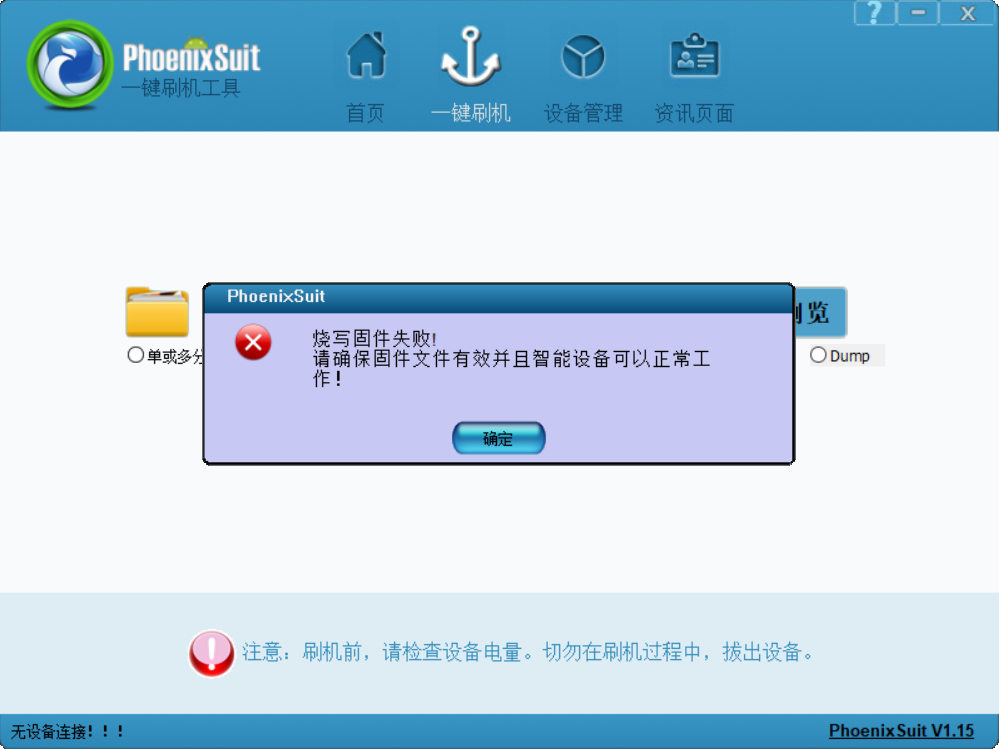
stop toc download通过PhoenixSuit.exe烧录的信息
-
回复: T113 TINA使用Nor Flash报错发布在 Linux
@zhangheyang请问你怎么制作的 spi nor flash 我的tina_t113-100ask_uart3_nor.img镜像为什么烧录失败了
-
t113-s3更换spi nand flash芯片烧录报错?发布在 其它全志芯片讨论区
之前板子用的MX35LF1GE4AB 的spi nand flash 128MB,现在更换为FM25S01BI3 256MB 。
在lichee/linux-5.4/drivers/mtd/awnand/spinand/physic/id.c中 添加了芯片信息。```236 { /FM25S01BI3-DND-A-G3/ 237 .Model = "FM25S01BI3", 238 .NandID = {0xa1, 0xd4, 0xff, 0xff, 0xff, 0xff, 0xff, 0xff}, 239 .DieCntPerChip = 1, 240 .SectCntPerPage = 4, 241 .PageCntPerBlk = 64, 242 .BlkCntPerDie = 2048, 243 .OobSizePerPage = 64, 244 .OperationOpt = SPINAND_QUAD_READ | SPINAND_QUAD_PROGRAM | 245 SPINAND_DUAL_READ | SPINAND_QUAD_NO_NEED_ENABLE, 246 .MaxEraseTimes = 65000, 247 .EccType = BIT2_LIMIT1_ERR2, 248 .EccProtectedType = SIZE16_OFF0_LEN16, 249 .BadBlockFlag = BAD_BLK_FLAG_FIRST_2_PAGE, 250 },之后用PhoenixSuit.exe工具烧录 报错误 错误信息如下:
[02.984]CPU:   Allwinner Family
[02.987]Model: sun8iw20
I2C:   FDT ERROR:fdt_set_all_pin:[twi0]-->FDT_ERR_BADPATH
FDT ERROR:fdt_set_all_pin:[twi1]-->FDT_ERR_BADPATH
ready
[03.009]DRAM:  128 MiB
[03.012]Relocation Offset is: 04ede000
[03.034]secure enable bit: 0
[03.037]CPU=1008 MHz,PLL6=600 Mhz,AHB=200 Mhz, APB1=100Mhz  MBus=300Mhz
[03.043]gic: normal mode
[03.045]flash init start
[03.048]workmode = 16,storage type = 0
try card 2
set card number 2
get card number 2
[03.055][mmc]: mmc driver ver uboot2018:2021-11-19 15:38:00
[03.062][mmc]: Is not Boot mode!
[03.065][mmc]: SUNXI SDMMC Controller Version:0x50310
[03.076][mmc]: ************Try SD card 2************
[03.081][mmc]: mmc 2 cmd timeout 100 status 100
[03.085][mmc]: smc 2 err, cmd 8,  RTO
[03.089][mmc]: mmc 2 close bus gating and reset
[03.094][mmc]: mmc 2 cmd timeout 100 status 100
[03.098][mmc]: smc 2 err, cmd 55,  RTO
[03.101][mmc]: mmc 2 close bus gating and reset
[03.106][mmc]: ************Try MMC card 2************
[03.115][mmc]: mmc 2 cmd timeout 100 status 100
[03.119][mmc]: smc 2 err, cmd 1,  RTO
[03.122][mmc]: mmc 2 close bus gating and reset
[03.126][mmc]: Card did not respond to voltage select!
[03.131][mmc]: ************SD/MMC 2 init error!************
[03.136][mmc]: mmc init product failed
MMC init failed
try emmc fail
[03.143]sunxi-spinand: AW SPINand MTD Layer Version: 1.5 20200407
[03.149]sunxi-spinand-phy: AW SPINand Phy Layer Version: 1.9 20200306
[03.157]sunxi-spinand-phy: request spi0 gpio ok
[03.161]sunxi-spinand-phy: request general tx dma channel ok!
[03.166]sunxi-spinand-phy: request general rx dma channel ok!
[03.172]sunxi-spinand-phy: set spic0 clk to 20 Mhz
[03.176]sunxi-spinand-phy: init spic0 clk ok
sspi->base_addr = 0x4025000, the SPI control register:
[VER] 0x4025000 = 0x00010001, [GCR] 0x4025004 = 0x00000083, [TCR] 0x4025008 = 0x00000184
[ICR] 0x4025010 = 0x00000f00, [ISR] 0x4025014 = 0x00000032, [FCR] 0x4025018 = 0x00200020
[FSR] 0x402501c = 0x00000000, [WCR] 0x4025020 = 0x00000000, [CCR] 0x4025024 = 0x00000002
[SDC] 0x4025028 = 0x00002000, [BCR] 0x4025030 = 0x00000000, [TCR] 0x4025034 = 0x00000000
[BCC] 0x4025038 = 0x00000000, [DMA] 0x4025088 = 0x000000e5

[03.222]sunxi-spinand-phy: not detect any munufacture from id table
[03.228]sunxi-spinand-phy: get spi-nand Model from fdt fail
[03.233]sunxi-spinand-phy: get phy info from fdt fail
[03.238]sunxi-spinand-phy: not detect munufacture from fdt
[03.243]sunxi-spinand-phy: detect munufacture from id table: FM
[03.249]sunxi-spinand-phy: detect spinand id: ffffd4a1 ffffffff
[03.254]sunxi-spinand-phy: ========== arch info ==========
[03.259]sunxi-spinand-phy: Model:               FM25S01BI3
[03.265]sunxi-spinand-phy: Munufacture:         FM
[03.269]sunxi-spinand-phy: DieCntPerChip:       1
[03.274]sunxi-spinand-phy: BlkCntPerDie:        2048
[03.278]sunxi-spinand-phy: PageCntPerBlk:       64
[03.283]sunxi-spinand-phy: SectCntPerPage:      4
[03.287]sunxi-spinand-phy: OobSizePerPage:      64
[03.292]sunxi-spinand-phy: BadBlockFlag:        0x1
[03.296]sunxi-spinand-phy: OperationOpt:        0xf
[03.301]sunxi-spinand-phy: MaxEraseTimes:       65000
[03.306]sunxi-spinand-phy: EccFlag:             0x0
[03.310]sunxi-spinand-phy: EccType:             2
[03.315]sunxi-spinand-phy: EccProtectedType:    1
[03.319]sunxi-spinand-phy: ========================================
[03.325]sunxi-spinand-phy:
[03.328]sunxi-spinand-phy: ========== physical info ==========
[03.333]sunxi-spinand-phy: TotalSize:    256 M
[03.337]sunxi-spinand-phy: SectorSize:   512 B
[03.341]sunxi-spinand-phy: PageSize:     2 K
[03.345]sunxi-spinand-phy: BlockSize:    128 K
[03.350]sunxi-spinand-phy: OOBSize:      64 B
[03.354]sunxi-spinand-phy: ========================================
[03.360]sunxi-spinand-phy:
[03.362]sunxi-spinand-phy: ========== logical info ==========
[03.368]sunxi-spinand-phy: TotalSize:    256 M
[03.372]sunxi-spinand-phy: SectorSize:   512 B
[03.376]sunxi-spinand-phy: PageSize:     4 K
[03.380]sunxi-spinand-phy: BlockSize:    256 K
[03.384]sunxi-spinand-phy: OOBSize:      128 B
[03.388]sunxi-spinand-phy: ========================================
[03.395]sunxi-spinand-phy: FM25S01BI3 reset rx bit width to 1
[03.400]sunxi-spinand-phy: FM25S01BI3 reset tx bit width to 1
[03.405]sunxi-spinand-phy: set spic0 clk to 100 Mhz
[03.410]sunxi-spinand-phy: block lock register: 0x00
[03.415]sunxi-spinand-phy: feature register: 0x10
[03.419]sunxi-spinand-phy: sunxi physic nand init end
[03.424]Loading Environment from SUNXI_FLASH... OK
[03.428]try to burn key
[03.431]out of usb burn from boot: not need burn key
Hit any key to stop autoboot:  0
sunxi work mode=0x10
run usb efex
buf queue page size = 16384
delay time 2500
weak:otg_phy_config
usb init ok
set address 0x2
set address 0x2 ok
set address 0x2
set address 0x2 ok
SUNXI_EFEX_ERASE_TAG
erase_flag = 0x12
origin_erase_flag = 0x1
FEX_CMD_fes_verify_status
FEX_CMD_fes_verify last err=0
SUNXI_EFEX_EXT4_UBIFS_TAG & do nothing
the 0 mbr table is ok
the 1 mbr table is ok
the 2 mbr table is ok
the 3 mbr table is ok
*************MBR DUMP***************
total mbr part 6

part[0] name      :boot-resource
part[0] classname :DISK
part[0] addrlo    :0x8000
part[0] lenlo     :0x1a00
part[0] user_type :32768
part[0] keydata   :0
part[0] ro        :0

part[1] name      :env
part[1] classname :DISK
part[1] addrlo    :0x9a00
part[1] lenlo     :0x1f8
part[1] user_type :32768
part[1] keydata   :0
part[1] ro        :0

part[2] name      :env-redund
part[2] classname :DISK
part[2] addrlo    :0x9bf8
part[2] lenlo     :0x1f8
part[2] user_type :32768
part[2] keydata   :0
part[2] ro        :0

part[3] name      :boot
part[3] classname :DISK
part[3] addrlo    :0x9df0
part[3] lenlo     :0x2000
part[3] user_type :32768
part[3] keydata   :0
part[3] ro        :0

part[4] name      :rootfs
part[4] classname :DISK
part[4] addrlo    :0xbdf0
part[4] lenlo     :0x2d400
part[4] user_type :32768
part[4] keydata   :0
part[4] ro        :0

part[5] name      :UDISK
part[5] classname :DISK
part[5] addrlo    :0x391f0
part[5] lenlo     :0x0
part[5] user_type :0
part[5] keydata   :0
part[5] ro        :0

total part: 7
mbr 0, 8000, 8000
boot-resource 1, 1a00, 8000
env 2, 1f8, 8000
env-redund 3, 1f8, 8000
boot 4, 2000, 8000
rootfs 5, 2d400, 8000
UDISK 6, 0, 0
[06.731]erase blk 0 to blk 32
need erase flash: 18
[06.793]mtdparts: mtdparts=nand:1024k@0(boot0)ro,3072k@1048576(uboot)ro,1024k@4194304(secure_storage)ro,-(sys)

device nand0 <nand>, # parts = 4
 #: name                size            offset          mask_flags
 0: boot0               0x00100000      0x00000000      1
 1: uboot               0x00300000      0x00100000      1
 2: secure_storage      0x00100000      0x00400000      1
 3: sys                 0x0fb00000      0x00500000      0

active partition: nand0,0 - (boot0) 0x00100000 @ 0x00000000

defaults:
mtdids  : nand0=nand
mtdparts: mtdparts=nand:1024k@0(boot0)ro,3072k@1048576(uboot)ro,1024k@4194304(secure_storage)ro,-(sys)
[06.844]MTD info (4)
[06.846]pagesize: 0x1000
[06.848]blksize: 0x40000
[06.850]num  offset     bytes      name
[06.854]0    0x00000000 0x00100000 boot0
[06.857]1    0x00100000 0x00300000 uboot
[06.861]2    0x00400000 0x00100000 secure_storage
[06.865]3    0x00500000 0x0fb00000 sys
[06.869]ubi attach the last part of mtd device: NO.3
[07.057]sunxi-spinand-phy: [SPINAND]: ecc error 0x2
[07.061]sunxi-spinand-phy: [SPINAND]: ecc error 0x2
[07.066]sunxi-spinand-phy: [SPINAND]: ecc error 0x2
[07.071]sunxi-spinand-phy: [SPINAND]: ecc error 0x2
[07.075]sunxi-spinand-phy: [SPINAND]: ecc error 0x2
[07.080]sunxi-spinand-phy: [SPINAND]: ecc error 0x2
[07.084]sunxi-spinand-phy: [SPINAND]: ecc error 0x2
[07.089]sunxi-spinand-phy: [SPINAND]: ecc error 0x2
[07.094]sunxi-spinand-phy: [SPINAND]: ecc error 0x2
[07.098]sunxi-spinand-phy: [SPINAND]: ecc error 0x2
[07.103]sunxi-spinand-phy: [SPINAND]: ecc error 0x2
[07.107]sunxi-spinand-phy: [SPINAND]: ecc error 0x2
[07.112]sunxi-spinand-phy: [SPINAND]: ecc error 0x2
[07.117]sunxi-spinand-phy: [SPINAND]: ecc error 0x2
[07.121]sunxi-spinand-phy: [SPINAND]: ecc error 0x2
[07.126]sunxi-spinand-phy: [SPINAND]: ecc error 0x2
[07.130]sunxi-spinand-phy: [SPINAND]: ecc error 0x2
[07.135]sunxi-spinand-phy: [SPINAND]: ecc error 0x2
[07.139]sunxi-spinand-phy: [SPINAND]: ecc error 0x2
[07.144]sunxi-spinand-phy: [SPINAND]: ecc error 0x2
[07.149]sunxi-spinand-phy: [SPINAND]: ecc error 0x2
[07.153]sunxi-spinand-phy: [SPINAND]: ecc error 0x2
[07.158]sunxi-spinand-phy: [SPINAND]: ecc error 0x2
[07.162]sunxi-spinand-phy: [SPINAND]: ecc error 0x2
[07.167]sunxi-spinand-phy: [SPINAND]: ecc error 0x2
[07.172]sunxi-spinand-phy: [SPINAND]: ecc error 0x2
[07.176]sunxi-spinand-phy: [SPINAND]: ecc error 0x2
[07.181]sunxi-spinand-phy: [SPINAND]: ecc error 0x2
[07.185]sunxi-spinand-phy: [SPINAND]: ecc error 0x2
请问各位大佬如何解决!!!!!!
-
100ASK_T113-Pro如何通过擦除分区来升级uboot、kernel、rootfs?发布在 其它全志芯片讨论区
不使用PhoenixSuit.exe 通过网口telnet登录 输入擦除命令来升级uboot、kenel、rootfs?
-
t113-S3 pro 100ask开发板如何通过命令flash-erase烧录 uboot、kerne了?发布在 其它全志芯片讨论区
不想通过PhoenixSuit.exe烧写镜像 而且韦东山老师提供的fastboot也用不了 因为是自己公司设计的板子 想进入开发板系统后通过命令升级 uboot kernel. 求助各位大佬!!!
-
t113移植FT5446触摸驱动报错?发布在 其它全志芯片讨论区
insmod focaltech_ts.ko 报错
报错日志
root@(none):/# insmod focaltech_ts.ko
[ 45.327665] input: fts_ts as /devices/platform/soc@3000000/sunxi-i2c2/i2c-2/2-0038/input/input1
[ 45.377656] fts_ts 2-0038: 2-0038 supply not found, using dummy regulator
[ 45.385569] fts_ts 2-0038: 2-0038 supply not found, using dummy regulator
[ 45.407580] debugfs: Directory '2-0038-' with parent 'reg-dummy-regulator-dummy' already present!
请问是什么原因? -
Avaota - A1 t527只能用TF卡旺开发板烧写镜像吗?不能像t113用一样的PhoenixSuit.exe吗?发布在 T Series
Avaota - A1 t527只能用TF卡旺开发板烧写镜像吗?不能像t113用一样的PhoenixSuit.exe吗?
-
回复: Tina Linux 存储介质切换:eMMC,SPI NAND,SPI NOR,SD Card,SD NAND发布在 Linux
@chunyangjs你好! 我的T113目前使用spi nand flash 128M 如果将它升级到512M 这个方法也可以吗?
-
回复: Tina Linux 存储介质切换:eMMC,SPI NAND,SPI NOR,SD Card,SD NAND发布在 Linux
大佬你好,我如果t113存储介质切换 由spi namd flash 128M切换到 512M
上面的几种方法 也可以适用吗?